


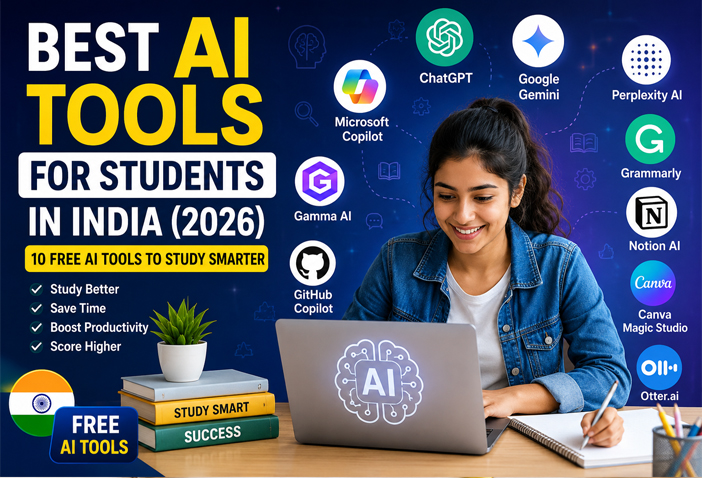
Best AI Tools for Students in India (2026) – 10 Free Tools to Study Smarter
Artificial Intelligence (AI) is transforming the way students learn, complete assignments, prepare for exams, and improve productivity. Whether you’re in school, college, or preparing for competitive exams, AI tools can help you save time and study more effectively.
The best part? Many of these AI tools offer free plans that are perfect for students in India.
In this article, we’ll explore the 10 best AI tools for students in India in 2026 that can help with writing, research, presentations, coding, note-taking, and much more.
Why Should Students Use AI Tools?
AI tools are not meant to replace learning—they are designed to make learning smarter and more efficient.
Some key benefits include:
- Save time on assignments and research
- Understand difficult topics easily
- Improve writing and grammar
- Create presentations in minutes
- Organize study notes
- Practice coding with AI assistance
- Prepare for exams more effectively
Let’s look at the best AI tools every student should know.
1. ChatGPT
ChatGPT is one of the most popular AI assistants available today. Students can use it to understand concepts, solve doubts, summarize chapters, generate ideas, practice interviews, and improve writing skills.
Best Features
- Homework assistance
- Essay writing
- Study notes
- Concept explanations
- Coding support
- Language learning
Free Plan: Yes
2. Google Gemini
Google Gemini integrates well with Google Search and Workspace, making it a great option for research and productivity.
Best Features
- Fast research
- Email drafting
- Assignment ideas
- Document assistance
- Google integration
Free Plan: Yes
3. Perplexity AI
Perplexity AI is excellent for students who need accurate information with source references. It provides summarized answers along with links to the original sources.
Best Features
- Research assistance
- Quick summaries
- Reliable sources
- Academic learning
Free Plan: Yes
4. Grammarly
Good writing is important for assignments, emails, and reports. Grammarly helps students write clearly by correcting grammar, spelling, punctuation, and sentence structure.
Best Features
- Grammar correction
- Writing suggestions
- Tone improvement
- Plagiarism support (Premium)
Free Plan: Yes
5. Notion AI
Notion AI helps students organize study materials, class notes, project work, and daily schedules in one place.
Best Features
- Smart notes
- Study planner
- Task management
- Content summaries
Free Plan: Available with limitations.
6. Canva Magic Studio
Creating presentations has become much easier with Canva’s AI features. Students can generate slides, edit images, remove backgrounds, and design attractive projects within minutes.
Best Features
- AI presentations
- Poster design
- Resume creation
- Infographics
Free Plan: Yes
7. Microsoft Copilot
Microsoft Copilot works with Microsoft Word, Excel, and PowerPoint to improve productivity.
Best Features
- Document writing
- Excel assistance
- PowerPoint support
- Productivity improvement
Free Plan: Yes
8. Gamma AI
Gamma AI allows students to create beautiful presentations without spending hours designing slides.
Best Features
- AI-generated presentations
- Professional templates
- Easy editing
- Fast workflow
Free Plan: Yes
9. GitHub Copilot
Students learning programming can use GitHub Copilot to write code faster, understand programming concepts, and debug errors.
Best Features
- Coding suggestions
- Error fixing
- Programming practice
- Multiple language support
Free Plan: Available for eligible students.
10. Otter.ai
Otter AI automatically records lectures and converts speech into text. This is especially useful during online classes and seminars.
Best Features
- Voice-to-text
- Meeting notes
- Lecture recording
- Searchable transcripts
Free Plan: Yes
Tips for Using AI Responsibly
While AI tools are incredibly useful, students should use them responsibly.
- Always verify important facts.
- Avoid copying AI-generated content without understanding it.
- Use AI to learn, not to cheat.
- Add your own ideas and creativity to assignments.
- Follow your school or college’s academic integrity guidelines.
Which AI Tool Is Best for Students?
The answer depends on your needs.
| Purpose | Recommended Tool |
|---|---|
| Homework Help | ChatGPT |
| Research | Perplexity AI |
| Presentations | Canva Magic Studio, Gamma AI |
| Grammar | Grammarly |
| Coding | GitHub Copilot |
| Notes | Notion AI |
| Google Workspace | Google Gemini |
Final Thoughts
Artificial Intelligence has become an essential learning companion for students in India. From writing assignments and creating presentations to learning programming and preparing for exams, AI tools can make studying faster, easier, and more productive.
The best part is that most of these tools offer free versions, allowing students to experience the benefits of AI without spending money.
Remember, AI should support your learning—not replace it. Use these tools wisely, keep practicing your skills, and you’ll become a smarter and more confident learner.
Frequently Asked Questions (FAQs)
1. Which is the best free AI tool for students in India?
ChatGPT, Google Gemini, Grammarly, Canva Magic Studio, and Perplexity AI are among the best free AI tools for students.
2. Can AI help students study better?
Yes. AI can explain concepts, summarize chapters, create notes, improve writing, and help students stay organized.
3. Are AI tools safe for students?
Most well-known AI tools are safe when used responsibly. Students should avoid sharing sensitive personal information and should always verify important facts.
4. Do students need to pay for these AI tools?
Most tools provide free plans with optional premium upgrades for advanced features.
5. Which AI tool is best for creating presentations?
Canva Magic Studio and Gamma AI are excellent choices for creating professional presentations quickly.