

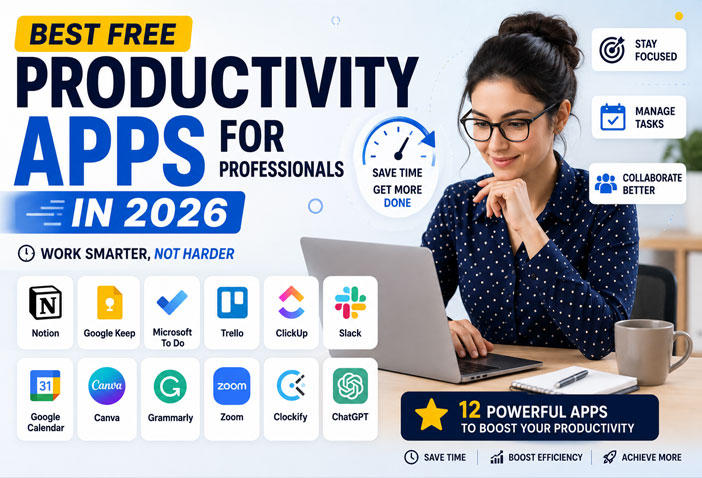
Best Free Productivity Apps for Professionals in 2026 (Top 12 Picks)
In today’s fast-paced work environment, staying productive is more important than ever. Whether you’re working from home, managing projects, running a business, or handling multiple clients, the right productivity apps can help you save time and stay organized.
The good news? You don’t need expensive software to work efficiently. Many excellent productivity apps offer powerful free plans that are perfect for professionals.
In this guide, we’ll explore the 12 best free productivity apps for professionals in 2026 that can help improve focus, collaboration, time management, and overall work efficiency.
Why Productivity Apps Matter
Professionals spend a significant part of their day switching between emails, meetings, documents, and tasks. Productivity apps simplify these activities by organizing everything in one place.
Benefits include:
- Better time management
- Improved team collaboration
- Organized workflow
- Faster communication
- Reduced stress
- Increased efficiency
- Better work-life balance
1. Notion
Notion remains one of the most powerful all-in-one productivity platforms.
Features
- Notes
- Project management
- Task lists
- Documentation
- Team collaboration
Best For: Freelancers, startups, agencies, and professionals.
2. Google Keep
Need a simple notes app?
Google Keep allows you to quickly save ideas, create reminders, and organize notes across all devices.
Best Features
- Voice notes
- Checklists
- Labels
- Color coding
- Google account sync
3. Microsoft To Do
Microsoft To Do is perfect for managing your daily schedule.
You can:
- Create task lists
- Set reminders
- Organize projects
- Track daily goals
Ideal for professionals already using Microsoft 365.
4. Trello
Trello makes project management simple using visual Kanban boards.
Perfect for:
- Marketing teams
- Designers
- Content creators
- Small businesses
Its drag-and-drop interface makes task management effortless.
5. ClickUp
ClickUp combines project management, documentation, chat, and task tracking into one platform.
Features include:
- Time tracking
- Goal management
- Team collaboration
- Dashboards
- Automation
Even the free plan is feature-rich.
6. Slack
Slack improves workplace communication.
Instead of endless emails, teams can communicate instantly through channels and direct messages.
Key features:
- Team chat
- File sharing
- Voice calls
- App integrations
7. Google Calendar
Time management becomes much easier with Google Calendar.
You can:
- Schedule meetings
- Set reminders
- Share calendars
- Receive notifications
- Sync across devices
A must-have productivity app.
8. Canva
Professionals frequently need presentations, social media graphics, reports, and documents.
Canva’s free version offers:
- Thousands of templates
- AI-powered design tools
- Presentations
- Social media graphics
- Marketing materials
Perfect even if you have no design experience.
9. Grammarly
Writing professional emails and reports becomes easier with Grammarly.
It checks:
- Grammar
- Spelling
- Clarity
- Tone
- Punctuation
Great for office professionals and freelancers.
10. Zoom
Online meetings remain an important part of professional work.
Zoom’s free version supports:
- Virtual meetings
- Screen sharing
- Team collaboration
- Video conferencing
Suitable for remote teams and client meetings.
11. Clockify
Tracking work hours is essential for freelancers and agencies.
Clockify helps you:
- Track time
- Generate reports
- Monitor productivity
- Manage projects
Its free plan is generous.
12. ChatGPT
ChatGPT has become one of the most valuable productivity tools for professionals.
Use it to:
- Draft emails
- Create reports
- Brainstorm ideas
- Summarize documents
- Generate content
- Solve problems quickly
When used responsibly, it can save several hours every week.
Tips to Stay Productive
Installing apps isn’t enough.
Follow these habits:
- Plan your day every morning.
- Prioritize important tasks.
- Turn off unnecessary notifications.
- Use calendar reminders.
- Review your progress at the end of the day.
- Automate repetitive work whenever possible.
Small habits combined with the right tools create significant productivity gains over time.
Which Productivity App Should You Choose?
Choose according to your work style:
- Project Management: ClickUp, Trello
- Notes: Notion, Google Keep
- Communication: Slack
- Meetings: Zoom
- Writing: Grammarly
- Design: Canva
- AI Assistant: ChatGPT
- Time Tracking: Clockify
- Scheduling: Google Calendar
You don’t need all of them. Start with two or three apps that address your biggest challenges and expand your toolkit only if needed.
Final Thoughts
Productivity isn’t about working longer hours—it’s about working smarter. The best free productivity apps in 2026 make it easier to organize tasks, communicate with teams, create content, manage time, and stay focused without increasing costs.
Whether you’re a freelancer, entrepreneur, remote employee, or office professional, these tools can help you save valuable time and improve your daily workflow. Experiment with a few options, build a routine that works for you, and let technology handle repetitive tasks while you focus on meaningful work.
Frequently Asked Questions (FAQs)
Which is the best free productivity app in 2026?
Notion, ClickUp, ChatGPT, Google Calendar, and Trello are among the most popular free productivity apps for professionals.
Are free productivity apps enough for professionals?
Yes. Most professionals can manage their daily work effectively using free plans. Paid versions are mainly useful for advanced collaboration and automation features.
Which productivity app is best for remote teams?
Slack, Zoom, ClickUp, Trello, and Google Calendar work well together for remote collaboration.
Can productivity apps improve work performance?
Yes. They help organize tasks, reduce distractions, improve communication, and save time, making it easier to focus on high-priority work.
Which productivity app is best for freelancers?
Notion, Clockify, Canva, ChatGPT, and Google Calendar are excellent choices for managing projects, tracking time, creating content, and scheduling work.