

Introduction
If you’re constantly switching between tabs, writing emails, summarizing articles, replying to messages, or researching information, you’re probably spending more time on repetitive tasks than you realize.
That’s where AI Chrome extensions come in.
In 2026, AI-powered browser extensions have become essential productivity tools for freelancers, marketers, students, business owners, developers, and content creators. These extensions work directly inside your browser, helping you write faster, summarize web pages, improve grammar, automate workflows, and manage tasks without leaving your current tab.
In this guide, we’ll explore the best AI Chrome extensions that can save you hours every week, along with their key features, ideal use cases, and how they can boost your productivity.
Why Use AI Chrome Extensions?
Unlike standalone apps, Chrome extensions work wherever you browse. Whether you’re replying to emails, reading articles, researching competitors, or managing social media, AI is always just one click away.
Benefits of AI Chrome Extensions
- Save time on repetitive tasks
- Improve writing and communication
- Speed up research
- Increase productivity
- Reduce context switching
- Enhance browsing experience
- Automate daily workflows
Even saving 10–15 minutes each day can add up to several hours every month.
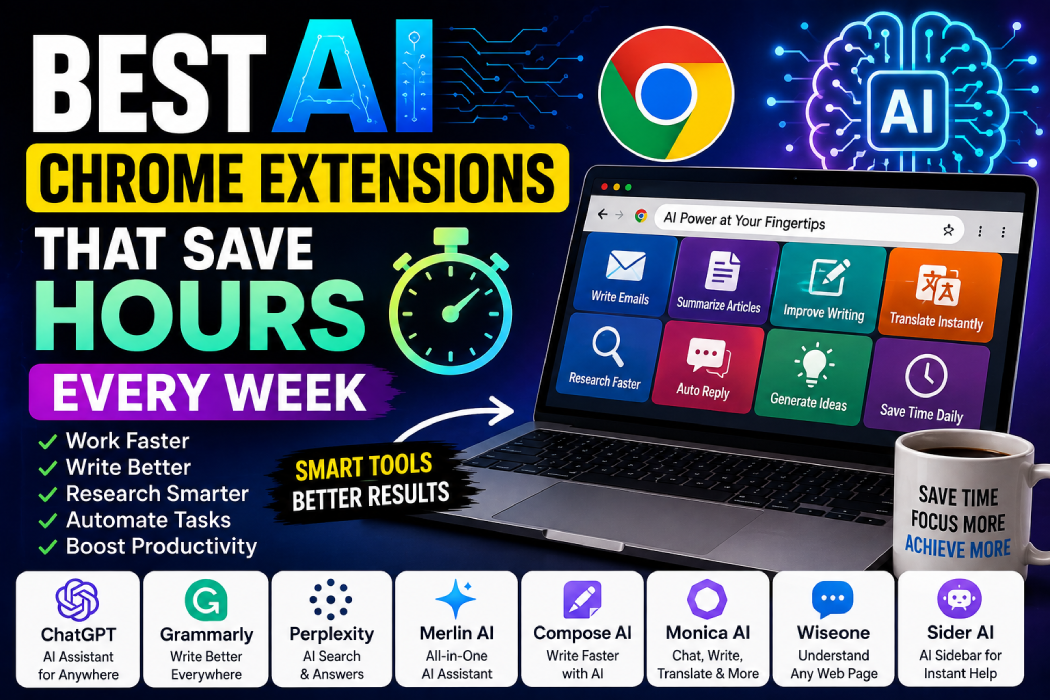
1. ChatGPT for Chrome
ChatGPT remains one of the most useful AI assistants available. Chrome extensions built around ChatGPT let you access AI directly while browsing, without opening a separate website.
Key Features
- Summarize web pages
- Write emails
- Generate content ideas
- Explain complex topics
- Translate text
- Improve writing
- Brainstorm solutions
Best For
- Bloggers
- Freelancers
- Students
- Developers
- Digital marketers
It’s like having an AI assistant available on every website you visit.
2. Grammarly
Grammarly continues to be one of the most valuable writing assistants for professionals.
It automatically checks grammar, spelling, punctuation, clarity, and tone while you write across Gmail, LinkedIn, Google Docs, and many other websites.
Features
- Grammar correction
- Tone suggestions
- Writing clarity
- AI rewriting
- Professional communication
Perfect for anyone who writes online regularly.
3. Perplexity AI Extension
Research often involves opening dozens of tabs.
Perplexity’s Chrome extension helps you quickly summarize pages, answer questions, and understand complex topics with AI assistance.
Best Uses
- Research
- Fact checking
- Learning
- Competitor analysis
- Quick explanations
This extension is especially useful for writers, students, and researchers.
4. Merlin AI
Merlin AI brings powerful AI features directly into your browser.
It works across Google Search, Gmail, LinkedIn, YouTube, X (formerly Twitter), and many other websites.
Features
- AI chat
- Email writing
- Content generation
- YouTube summaries
- Search assistance
- Social media support
Merlin is ideal for users who want AI available everywhere they work online.
5. Compose AI
Typing repetitive emails and messages wastes valuable time.
Compose AI predicts your sentences and generates text automatically, allowing you to write much faster.
Features
- Auto-complete writing
- Email drafting
- Smart sentence suggestions
- Personalized writing style
Excellent for customer support teams, freelancers, and business professionals.
6. Monica AI
Monica AI is one of the fastest-growing AI browser assistants.
It combines writing, translation, summarization, coding assistance, and AI chat into one convenient extension.
Key Features
- AI chatbot
- Writing assistant
- Translation
- Code explanation
- Article summaries
- Content generation
A great all-in-one solution for busy professionals.
7. Wiseone
Reading long technical articles can be time-consuming.
Wiseone helps users understand difficult topics by summarizing information, explaining unfamiliar terms, and answering questions about the content they’re reading.
Best For
- Students
- Researchers
- Professionals
- Lifelong learners
It’s particularly useful when exploring new industries or technologies.
8. Sider AI
Sider AI places an intelligent sidebar directly inside your browser.
Without leaving your current page, you can ask questions, summarize content, rewrite text, and translate information instantly.
Features
- AI sidebar
- Web page summaries
- Translation
- Writing assistance
- Instant explanations
This minimizes distractions and keeps your workflow smooth.
Which AI Chrome Extension Should You Choose?
Your ideal extension depends on your daily tasks.
| Need | Recommended Extension |
|---|---|
| Writing | Grammarly, Compose AI |
| Research | Perplexity AI, Wiseone |
| Content Creation | ChatGPT, Merlin AI |
| Productivity | Monica AI, Sider AI |
| Email Assistance | Compose AI, Grammarly |
Many professionals combine two or three extensions to build a personalized productivity toolkit.
Tips for Using AI Extensions Effectively
To get the best results:
- Install only the extensions you actually need.
- Review AI-generated content before publishing.
- Keep your browser updated.
- Remove unused extensions to maintain browser speed.
- Protect sensitive information when using AI tools.
AI should enhance your workflow—not replace your judgment.
Final Thoughts
AI Chrome extensions have become some of the easiest ways to improve productivity in 2026. Whether you’re writing emails, researching information, creating content, or managing your daily tasks, these tools help you work faster with less effort.
Instead of juggling multiple websites and apps, AI extensions bring intelligent assistance directly into your browser, saving time and reducing distractions.
The best approach is to start with one or two extensions that match your workflow, learn their features, and gradually build an efficient browser setup that supports your daily work.
Frequently Asked Questions
Which AI Chrome extension is best overall?
ChatGPT, Grammarly, Merlin AI, and Monica AI are among the most versatile AI Chrome extensions available in 2026.
Are AI Chrome extensions free?
Many offer free plans with optional premium upgrades for advanced features and higher usage limits.
Can AI Chrome extensions improve productivity?
Yes. They automate repetitive tasks such as writing, summarizing, translating, and researching, helping users save hours every week.
Are AI browser extensions safe?
Most popular extensions are safe when downloaded from trusted sources like the Chrome Web Store. Always review permissions before installing.
Do AI extensions work on every website?
Most major AI extensions support popular websites like Gmail, Google Docs, LinkedIn, YouTube, and many others, though compatibility may vary.