


Introduction
If you spend several hours every day on your computer, you probably waste more time than you realize on repetitive tasks. Whether you’re a student, freelancer, blogger, office employee, or business owner, small daily activities like taking screenshots, checking grammar, saving passwords, managing tabs, and writing emails can consume hours every week.
The good news is that you don’t need expensive software to become more productive. Google Chrome offers thousands of free extensions that automate everyday tasks and help you work smarter.
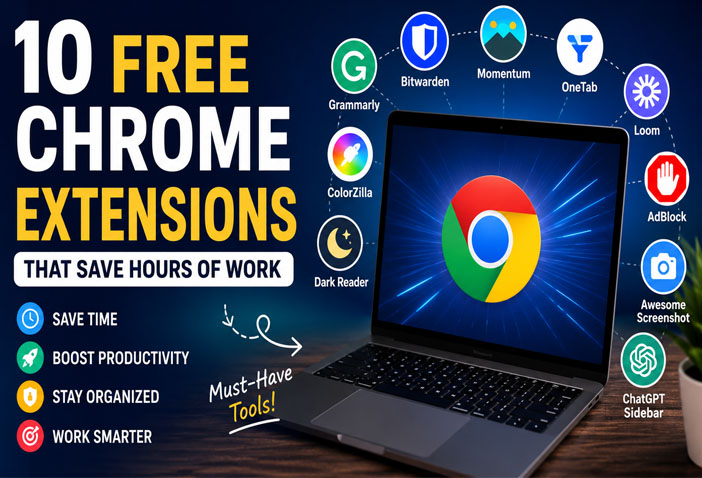
In this guide, we’ve selected 10 completely free Chrome extensions that can save hours of work every week. Most of these tools take only a minute to install but can dramatically improve your productivity.
1. Grammarly
Grammarly is one of the most popular writing assistants available for Chrome.
It automatically checks:
- Grammar mistakes
- Spelling errors
- Punctuation
- Tone
- Sentence clarity
Whether you’re writing emails, blog posts, social media captions, or LinkedIn updates, Grammarly helps you write professionally.
Best For
- Bloggers
- Students
- Content Writers
- Office Employees
Why It Saves Time
Instead of proofreading manually, Grammarly corrects mistakes instantly.
2. Bitwarden
Remembering dozens of passwords is impossible.
Bitwarden securely stores all your passwords and automatically fills login forms.
Features include:
- Password Generator
- Secure Vault
- Auto Login
- Multi-device Sync
Best For
- Everyone
Why It Saves Time
No more resetting forgotten passwords every week.
3. Momentum
Every new Chrome tab becomes a beautiful productivity dashboard.
It includes:
- Daily Goals
- To-do List
- Weather
- Inspirational Quotes
- Beautiful Backgrounds
Best For
People who get distracted while browsing.
Why It Saves Time
Keeps you focused every time you open a new tab.
4. OneTab
Do you usually keep 40–50 browser tabs open?
OneTab converts all open tabs into a single organized list.
Benefits include:
- Reduces RAM usage
- Makes Chrome faster
- Organizes tabs
- Restores tabs anytime
Best For
Researchers, bloggers, developers, and students.
Why It Saves Time
No more searching through dozens of tabs.
5. Loom
Need to explain something to a client or teammate?
Instead of typing long messages, record your screen with Loom.
You can:
- Record screen
- Record webcam
- Record microphone
- Share with one click
Best For
- Remote Teams
- Freelancers
- Teachers
- Project Managers
Why It Saves Time
A two-minute video can replace a ten-minute email.
6. ColorZilla
Perfect for designers and website developers.
Features:
- Color Picker
- CSS Gradient Generator
- Eyedropper Tool
You can instantly identify any color from any website.
Best For
- UI Designers
- Web Developers
- Graphic Designers
Why It Saves Time
No need to inspect website code just to find a color.
7. Dark Reader
Reading white websites for hours strains your eyes.
Dark Reader converts almost every website into dark mode.
Benefits:
- Less eye strain
- Better night reading
- Adjustable brightness
- Contrast controls
Best For
Anyone working long hours on a computer.
Why It Saves Time
Reduces fatigue, helping you work longer without discomfort.
8. AdBlock
Ads are distracting and slow down browsing.
AdBlock removes:
- Banner Ads
- Pop-ups
- Video Ads
- Tracking Scripts
Best For
Everyone.
Why It Saves Time
Web pages load faster and browsing becomes distraction-free.
9. Awesome Screenshot
This extension allows you to:
- Capture full webpages
- Annotate screenshots
- Blur sensitive information
- Record screen videos
Best For
- Bloggers
- QA Testers
- Project Managers
- Customer Support
Why It Saves Time
No need for separate screenshot software.
10. ChatGPT Sidebar
If you frequently write content, summarize articles, generate ideas, or reply to emails, a ChatGPT sidebar extension can be incredibly useful.
Common uses include:
- Content writing
- Email drafting
- Blog outlines
- Translation
- Summarization
- Coding assistance
Best For
- Bloggers
- Students
- Marketers
- Freelancers
Why It Saves Time
Reduces repetitive writing tasks and speeds up research.
Tips for Choosing Chrome Extensions
Avoid installing too many extensions because they can slow down your browser.
Choose extensions that:
- Have high ratings
- Receive regular updates
- Require minimal permissions
- Come from trusted developers
Review your installed extensions every few months and remove those you no longer use.
Final Thoughts
The right Chrome extensions can transform the way you work. Instead of wasting time on repetitive tasks, these free tools automate daily activities, improve focus, and help you stay organized.
Whether you’re a student, blogger, freelancer, or office professional, installing even a few of these extensions can save several hours every week.
Start with the ones that match your workflow and gradually build a browser setup that makes you more productive.
Frequently Asked Questions (FAQs)
Which is the best free Chrome extension for productivity?
OneTab, Grammarly, Bitwarden, and Loom are among the best free Chrome extensions for improving productivity.
Are Chrome extensions safe to use?
Yes, most popular extensions from trusted developers are safe. Always check ratings, reviews, and permissions before installing.
Do Chrome extensions slow down the browser?
Installing too many extensions can affect performance. Keep only the ones you use regularly.
Which Chrome extension is best for bloggers?
Grammarly, ChatGPT Sidebar, OneTab, and Awesome Screenshot are excellent choices for bloggers and content creators.
Are these Chrome extensions free?
Yes, all the extensions mentioned in this article offer free versions with useful features.