


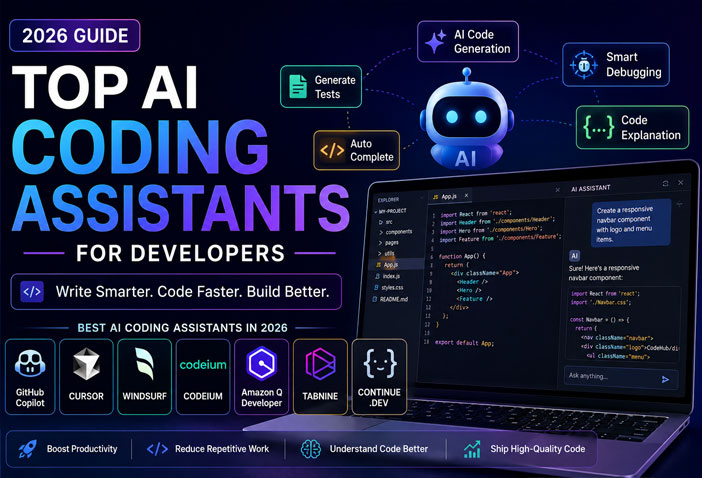
Artificial Intelligence has transformed software development. Today’s AI coding assistants do much more than autocomplete code—they can generate functions, explain complex logic, debug errors, write tests, refactor projects, and even help developers understand unfamiliar codebases.
While GitHub Copilot remains one of the most popular AI coding tools, several powerful alternatives have emerged in 2026, offering advanced features, better pricing, and support for multiple AI models.
In this guide, we’ll compare the top AI coding assistants for developers in 2026, helping you choose the best tool for your workflow.
What Is an AI Coding Assistant?
An AI coding assistant is a software tool that uses artificial intelligence to help developers write, understand, debug, and improve code.
Modern AI coding assistants can:
- Generate code from natural language
- Auto-complete functions
- Explain existing code
- Fix bugs
- Refactor code
- Write documentation
- Generate unit tests
- Support multiple programming languages
These tools integrate directly with popular IDEs like Visual Studio Code, JetBrains IDEs, and Neovim, making development faster and more efficient.
Best AI Coding Assistants in 2026
1. GitHub Copilot – Best Overall ⭐⭐⭐⭐⭐
Best For
- Professional developers
- Teams
- Enterprise projects
GitHub Copilot continues to be one of the most widely used AI coding assistants. Powered by advanced language models, it provides high-quality code suggestions directly inside your editor.
Key Features
- Smart code completion
- AI chat
- Code explanation
- Pull request assistance
- Unit test generation
- Multi-language support
Pros
✅ Highly accurate suggestions
✅ Excellent VS Code integration
✅ Large developer ecosystem
Cons
❌ Subscription required for full features
❌ Can occasionally generate incorrect code
Free Plan: Limited
Paid Plan: Starts around $10/month
2. Cursor – Best AI IDE ⭐⭐⭐⭐⭐
Best For
- Full-stack developers
- AI-first coding workflow
Cursor has become one of the fastest-growing AI-powered code editors. Built on Visual Studio Code, it includes advanced AI features such as project-wide understanding and intelligent code editing.
Features
- AI Chat
- Multi-file editing
- Project awareness
- Codebase search
- Natural language coding
- Multiple AI models
Pros
✅ Extremely fast
✅ Understands entire projects
✅ Great user experience
Cons
❌ Some premium features require subscription
3. Windsurf – Best for AI Pair Programming ⭐⭐⭐⭐⭐
Best For
- Software engineers
- Large codebases
Windsurf offers a collaborative AI development experience with context-aware coding and advanced code generation. It is especially useful for navigating complex projects.
Features
- AI coding assistant
- Intelligent code navigation
- Code generation
- AI debugging
- Project-wide context
Pros
✅ Excellent productivity
✅ Fast AI responses
Cons
❌ Newer ecosystem compared to Copilot
4. Codeium – Best Free GitHub Copilot Alternative ⭐⭐⭐⭐☆
Best For
- Students
- Freelancers
- Individual developers
Codeium provides unlimited AI-powered code completion for many users, making it one of the best free alternatives to GitHub Copilot.
Features
- AI autocomplete
- AI chat
- Code search
- Multi-language support
- IDE extensions
Pros
✅ Generous free plan
✅ Supports many programming languages
Cons
❌ AI suggestions may be less consistent than premium tools
5. Amazon Q Developer – Best for AWS Developers ⭐⭐⭐⭐☆
Best For
- Cloud developers
- AWS users
- Enterprise applications
Amazon Q Developer is designed for developers building applications on AWS. It helps with coding, cloud architecture, debugging, and AWS service recommendations.
Features
- AI code generation
- AWS optimization
- Security suggestions
- Documentation assistance
- CLI integration
Pros
✅ Excellent AWS integration
✅ Enterprise security features
Cons
❌ Most useful for AWS-focused projects
6. Tabnine – Best for Privacy-Focused Teams
Best For
- Enterprise development
- Privacy-conscious organizations
Tabnine focuses on secure AI-assisted coding with options for private deployment and enterprise-grade compliance.
Features
- AI code completion
- Local deployment
- Team training
- Enterprise security
Pros
✅ Strong privacy controls
✅ Good enterprise support
Cons
❌ Fewer advanced conversational features
7. Continue.dev – Best Open-Source AI Coding Assistant
Best For
- Open-source enthusiasts
- Developers using local AI models
Continue.dev allows developers to integrate multiple AI models directly into their IDE while maintaining flexibility and control.
Features
- Open-source
- Supports local models
- Custom AI integrations
- VS Code extension
Pros
✅ Free and customizable
✅ Works with various AI providers
Cons
❌ Requires more setup than commercial tools
Comparison Table
| Tool | Free Plan | AI Chat | Code Generation | Best For |
|---|---|---|---|---|
| GitHub Copilot | Limited | ✅ | ⭐⭐⭐⭐⭐ | Overall Best |
| Cursor | Trial | ✅ | ⭐⭐⭐⭐⭐ | AI IDE |
| Windsurf | Trial | ✅ | ⭐⭐⭐⭐⭐ | Pair Programming |
| Codeium | ✅ | ✅ | ⭐⭐⭐⭐☆ | Free Alternative |
| Amazon Q Developer | ✅ | ✅ | ⭐⭐⭐⭐☆ | AWS Development |
| Tabnine | Trial | Limited | ⭐⭐⭐⭐☆ | Enterprise |
| Continue.dev | ✅ | ✅ | ⭐⭐⭐⭐☆ | Open Source |
GitHub Copilot vs Cursor vs Windsurf
| Feature | GitHub Copilot | Cursor | Windsurf |
|---|---|---|---|
| Code Completion | ⭐⭐⭐⭐⭐ | ⭐⭐⭐⭐⭐ | ⭐⭐⭐⭐⭐ |
| AI Chat | ✅ | ✅ | ✅ |
| Project Understanding | Good | Excellent | Excellent |
| Multi-file Editing | Limited | Excellent | Excellent |
| Ease of Use | Excellent | Excellent | Very Good |
| Best For | General Development | AI-First Workflow | Large Projects |
How to Choose the Right AI Coding Assistant
When selecting an AI coding assistant, consider:
Programming Languages
Choose a tool that supports the languages and frameworks you use most.
IDE Compatibility
Ensure it integrates with your preferred editor, such as VS Code, JetBrains, or Neovim.
Context Awareness
Advanced assistants that understand your entire project can provide more accurate suggestions.
Privacy & Security
If you work with sensitive code, look for enterprise-grade security or local deployment options.
Pricing
Free plans are great for beginners, while professional developers may benefit from premium features.
Frequently Asked Questions (FAQs)
Which is the best AI coding assistant in 2026?
GitHub Copilot remains one of the best overall AI coding assistants, while Cursor and Windsurf are excellent alternatives with AI-first development experiences.
Is there a free alternative to GitHub Copilot?
Yes. Codeium and Continue.dev offer free plans with AI-powered code completion and chat features.
Can AI coding assistants replace developers?
No. AI coding assistants are designed to improve productivity by automating repetitive tasks, but developers are still responsible for architecture, problem-solving, testing, and reviewing generated code.
Which AI coding assistant is best for beginners?
Codeium is an excellent free choice, while GitHub Copilot provides an intuitive experience for developers learning new technologies.
Final Verdict
AI coding assistants have become essential tools for modern software development. They help developers write cleaner code, reduce repetitive work, and improve productivity across projects.
If you’re looking for the best overall coding assistant, GitHub Copilot remains a top choice. Cursor stands out for its AI-first coding experience, while Windsurf is ideal for large, complex codebases. Developers seeking a free solution should consider Codeium or Continue.dev, and AWS users will benefit most from Amazon Q Developer.
Choosing the right assistant depends on your coding style, preferred IDE, and budget—but any of these tools can significantly speed up your development workflow in 2026.