

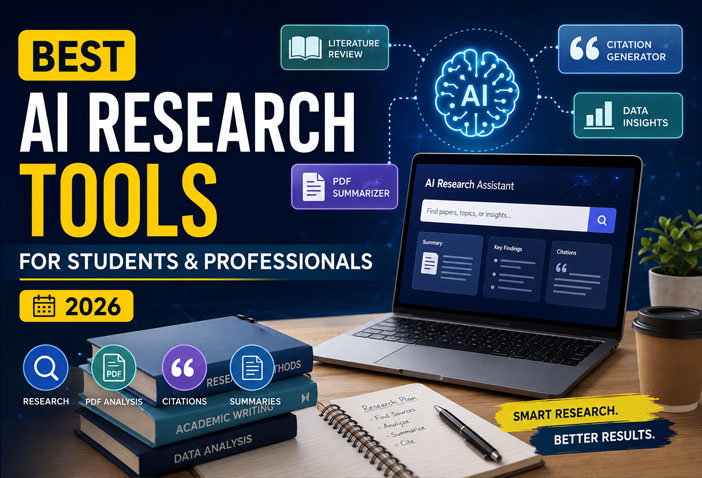
Research has changed dramatically thanks to artificial intelligence. Instead of spending hours searching through PDFs, highlighting papers, organizing notes, and formatting citations, AI research tools now handle much of the heavy lifting.
Whether you’re a student working on assignments, a researcher writing academic papers, or a professional preparing reports, these AI tools can save hours every week while improving accuracy.
In this guide, we’ll explore the best AI research tools in 2026, compare their features, pricing, and ideal use cases.
Why Use AI Research Tools?
Modern AI research assistants can help you:
- Find relevant academic papers
- Summarize lengthy PDFs
- Generate citations automatically
- Explain difficult concepts
- Organize research notes
- Compare multiple research papers
- Create literature reviews faster
- Save time during report writing
Instead of manually reading hundreds of pages, AI helps you focus on understanding and writing.
1. Elicit
Best For: Academic literature review
Elicit is one of the most popular AI research assistants designed specifically for researchers and students. Instead of searching the web like a traditional search engine, it searches academic publications and extracts important insights automatically.
Key Features
- AI-powered literature search
- Paper summaries
- Research question generation
- Evidence comparison
- Table-based research analysis
Pros
- Excellent for scientific research
- Saves hours of literature review
- Clean interface
Cons
- Some advanced features require a paid plan.
Pricing
- Free plan available
- Premium plans available
2. Consensus
Best For: Evidence-based answers
Consensus searches peer-reviewed research instead of blogs or random websites. Every answer includes supporting scientific studies.
Key Features
- Peer-reviewed search
- AI-generated research summaries
- Evidence-based responses
- Medical and scientific research support
Pros
- Highly reliable
- Great for fact-checking
- Beginner-friendly
Cons
- Mostly focused on published research.
3. SciSpace
Best For: Understanding research papers
SciSpace has become one of the favorite AI tools among students because it explains complex research papers in simple language.
Features
- Upload PDFs
- AI explanations
- Citation support
- Ask questions from papers
- Literature search
Why Students Love It
Instead of struggling with technical language, users can simply ask:
“Explain this paragraph in simple English.”
The AI instantly provides an easy explanation.
4. NotebookLM
Best For: Research from your own documents
NotebookLM allows users to upload PDFs, Google Docs, notes, presentations, and other materials. The AI answers questions using only your uploaded sources.
Features
- Upload multiple PDFs
- Research Q&A
- Audio overviews
- Source-based answers
- Smart note organization
Best Use Cases
- University projects
- Team documentation
- Company reports
- Study notes
5. ChatGPT
Best For: Research assistance and brainstorming
ChatGPT is no longer just a chatbot—it has become a powerful research companion.
It helps users:
- Explain complex topics
- Summarize PDFs
- Generate outlines
- Improve writing
- Brainstorm ideas
- Simplify technical content
When combined with reliable sources, ChatGPT can significantly speed up the research process.
6. Perplexity AI
Best For: AI search with citations
Perplexity AI combines traditional search with AI-generated answers and includes citations for every response.
Features
- Real-time web search
- Source citations
- Follow-up questions
- Academic sources
- PDF uploads
Pros
- Current information
- Transparent sources
- Easy to verify information
7. Semantic Scholar
Best For: Finding research papers
Semantic Scholar uses AI to rank millions of academic papers based on relevance and importance.
Features
- Citation graph
- Research recommendations
- Influential paper detection
- Author profiles
- Paper insights
Perfect for students writing dissertations and research papers.
8. Zotero + AI Plugins
Best For: Citation management
Zotero remains one of the best free citation managers.
With AI plugins, it becomes even more powerful by helping users:
- Organize references
- Generate citations
- Summarize PDFs
- Search notes
- Manage literature
Supported citation styles include:
- APA
- MLA
- Chicago
- Harvard
9. Scholarcy
Best For: Research paper summaries
Scholarcy converts long academic papers into concise summary cards.
Features
- Summary generation
- Flashcards
- Key findings
- References
- Highlight extraction
Ideal for quickly reviewing multiple papers.
10. Connected Papers
Best For: Discovering related research
Connected Papers creates visual graphs showing relationships between research papers.
Instead of searching one paper at a time, users can explore an entire research network.
Perfect for:
- Literature reviews
- PhD research
- Thesis preparation
Comparison Table
| Tool | Best For | Citations | PDF Support | Free Plan |
|---|---|---|---|---|
| Elicit | Literature Review | Yes | Yes | ✅ |
| Consensus | Scientific Answers | Yes | Limited | ✅ |
| SciSpace | Paper Explanation | Yes | Yes | ✅ |
| NotebookLM | Personal Research | Source-based | Yes | ✅ |
| ChatGPT | Research Assistant | Depends on usage | Yes | ✅ |
| Perplexity AI | AI Search | Yes | Yes | ✅ |
| Semantic Scholar | Academic Search | Yes | Limited | ✅ |
| Zotero | Citation Management | Yes | Yes | ✅ |
| Scholarcy | Summaries | Yes | Yes | Limited |
| Connected Papers | Paper Discovery | Yes | No | Limited |
How to Choose the Right AI Research Tool
Choose based on your needs:
For Students
- SciSpace
- NotebookLM
- ChatGPT
- Scholarcy
For Researchers
- Elicit
- Consensus
- Semantic Scholar
- Connected Papers
For Professionals
- NotebookLM
- Perplexity AI
- ChatGPT
- Zotero
Tips for Using AI Research Tools Responsibly
While AI can save significant time, it should complement—not replace—critical thinking.
Follow these best practices:
- Verify AI-generated information using original sources.
- Read important research papers instead of relying only on summaries.
- Double-check citations before submitting assignments or publications.
- Avoid plagiarism by writing in your own words.
- Use AI to understand concepts, not to fabricate references.
Final Thoughts
AI research tools in 2026 have made academic and professional research faster, smarter, and more organized. Whether you’re preparing a university assignment, conducting a literature review, or creating a business report, the right AI assistant can dramatically improve your workflow.
For most users, a combination of ChatGPT, NotebookLM, SciSpace, Perplexity AI, and Elicit provides an excellent research toolkit. By pairing these tools with careful source verification and critical thinking, you can produce higher-quality work in less time.
Frequently Asked Questions (FAQs)
Which AI tool is best for research papers?
Elicit, SciSpace, and Semantic Scholar are among the best options for finding, analyzing, and understanding academic research papers.
Can AI generate citations automatically?
Yes. Tools like Zotero, SciSpace, Elicit, and Perplexity AI can help generate citations in formats such as APA, MLA, Chicago, and Harvard. Always verify the formatting before submission.
Is ChatGPT good for academic research?
ChatGPT is excellent for explaining concepts, brainstorming ideas, summarizing documents, and organizing research. However, you should verify facts and cite original sources rather than relying solely on AI-generated content.
Which AI tool is best for summarizing PDFs?
NotebookLM, SciSpace, Scholarcy, and ChatGPT are all strong choices for summarizing long PDFs and extracting key insights.
Are AI research tools free?
Many offer free plans with useful features. Premium subscriptions typically unlock larger document limits, advanced analysis, and additional AI capabilities.