


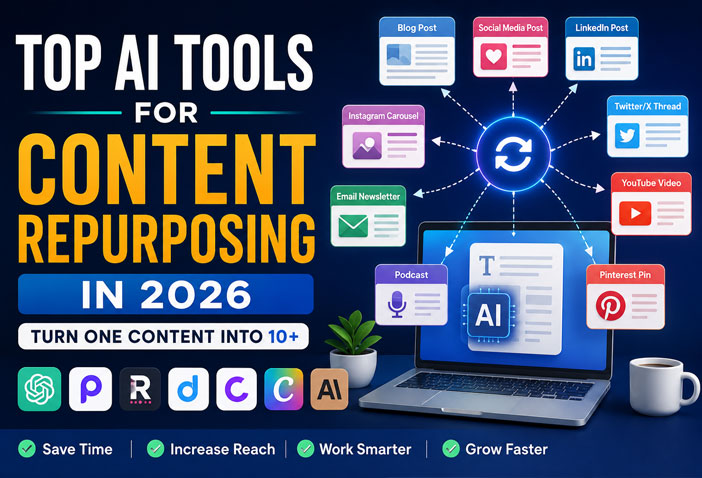
What Is AI Content Repurposing?
Creating high-quality content takes time, effort, and creativity. But what if you could create one piece of content and transform it into ten different formats without starting from scratch every time? That’s exactly what AI content repurposing does.
Content repurposing means converting existing content into new formats. For example, a blog post can become a LinkedIn article, an Instagram carousel, a YouTube script, an email newsletter, or even multiple social media posts. Thanks to AI, this process is now faster, easier, and more efficient than ever before.
Whether you’re a blogger, YouTuber, freelancer, marketer, or business owner, AI-powered content repurposing tools can save hours of manual work while helping you reach a wider audience across different platforms.
Why Should You Repurpose Your Content?
Instead of creating fresh content every day, you can maximize the value of your existing content.
Here are some major benefits:
- Save hours of content creation every week
- Reach audiences on multiple platforms
- Improve content consistency
- Increase website traffic
- Boost social media engagement
- Get better ROI from every piece of content
- Publish more content without hiring a large team
In 2026, content repurposing is no longer optional—it’s one of the smartest strategies for creators and businesses.
Best AI Content Repurposing Tools in 2026
| Tool | Best For | Free Plan | Rating |
|---|---|---|---|
| ChatGPT | Blog, Social Posts, Emails | ✅ Yes | ⭐⭐⭐⭐⭐ |
| OpusClip | YouTube Shorts | ✅ Yes | ⭐⭐⭐⭐⭐ |
| Repurpose.io | Multi-platform Automation | Trial | ⭐⭐⭐⭐⭐ |
| Descript | Audio & Video Editing | ✅ Yes | ⭐⭐⭐⭐☆ |
| Castmagic | Podcast Repurposing | Limited | ⭐⭐⭐⭐☆ |
| Canva Magic Studio | Social Graphics | ✅ Yes | ⭐⭐⭐⭐☆ |
| Claude AI | Long-form Content | ✅ Yes | ⭐⭐⭐⭐☆ |
1. ChatGPT
ChatGPT has become one of the most popular AI tools for content repurposing.
Instead of writing everything from scratch, you can simply paste your existing content and ask ChatGPT to transform it into different formats.
Best Uses
- Convert blogs into LinkedIn posts
- Create Twitter/X threads
- Write email newsletters
- Generate Facebook captions
- Create Instagram captions
- Rewrite content in different tones
Pros
- Easy to use
- Saves hours of writing
- Supports multiple writing styles
- Great for SEO content
Cons
- Requires fact-checking
- Human editing is recommended
2. OpusClip
If you create YouTube videos, OpusClip is one of the best AI tools available.
It automatically detects the most engaging moments from long videos and converts them into short vertical clips suitable for YouTube Shorts, Instagram Reels, and TikTok.
Best Features
- Automatic captions
- AI highlights
- Viral clip detection
- One-click short video creation
Best For
Content creators and YouTubers.
3. Repurpose.io
Repurpose.io automates content distribution across multiple social media platforms.
Instead of manually uploading videos everywhere, the tool automatically publishes your content to YouTube, Facebook, Instagram, TikTok, LinkedIn, and podcasts.
Pros
- Saves publishing time
- Supports multiple platforms
- Fully automated workflows
Cons
- Paid subscription
4. Descript
Descript is much more than a video editor.
Its AI features allow users to edit videos by editing text, remove filler words, generate subtitles, and convert recordings into blog posts.
Best Features
- Text-based editing
- AI voice enhancement
- Screen recording
- Automatic transcription
Ideal for podcasters, educators, and content creators.
5. Castmagic
Podcast creators love Castmagic because it transforms a single podcast episode into multiple content formats.
It can generate:
- Blog articles
- Email newsletters
- Social media captions
- Episode summaries
- Show notes
- LinkedIn posts
This saves several hours after every recording.
6. Canva Magic Studio
Canva is no longer just a design platform.
Its Magic Studio includes AI-powered features for generating presentations, social media graphics, marketing visuals, and content ideas.
You Can Create
- Instagram carousels
- Pinterest pins
- Facebook graphics
- Blog banners
- Marketing posters
Perfect for creators without graphic design experience.
7. Claude AI
Claude AI is excellent for rewriting and expanding long-form content.
It understands context extremely well and produces natural, human-like writing.
It’s especially useful for:
- Blog rewriting
- Article summaries
- Documentation
- Research notes
- Professional reports
Example: Turn One Blog into 10 Pieces of Content
Imagine you’ve written a blog titled “Best AI Productivity Apps.”
Using AI tools, you can transform it into:
- LinkedIn article
- Twitter/X thread
- Facebook post
- Instagram carousel
- Instagram caption
- Email newsletter
- YouTube script
- YouTube Shorts
- Pinterest infographic
- Medium article
Instead of creating ten different pieces manually, AI helps you generate them from a single source.
Tips for Better AI Content Repurposing
To get the best results, follow these tips:
- Always review AI-generated content before publishing.
- Add your personal experience or opinion whenever possible.
- Maintain a consistent brand voice.
- Update facts and statistics regularly.
- Use original images and graphics.
- Optimize every version for its platform.
- Avoid publishing identical content everywhere.
Who Should Use AI Content Repurposing Tools?
These tools are perfect for:
- Bloggers
- Digital marketers
- YouTubers
- Social media managers
- Freelancers
- Agencies
- Small business owners
- Coaches
- Online educators
- Podcasters
If you create content regularly, AI repurposing tools can dramatically increase your productivity.
Frequently Asked Questions (FAQs)
What is AI content repurposing?
AI content repurposing is the process of using artificial intelligence to convert existing content into multiple formats such as blogs, social media posts, videos, newsletters, and more.
Which AI tool is best for content repurposing?
ChatGPT is one of the best all-around tools for text-based repurposing, while OpusClip is excellent for converting long videos into short-form content.
Can AI repurpose YouTube videos?
Yes. Tools like OpusClip and Descript can automatically convert long YouTube videos into engaging Shorts, Reels, and TikTok videos.
Is AI-generated content good for SEO?
Yes, but only when it’s edited, fact-checked, and provides genuine value to readers. Human review remains important for quality and accuracy.
Are free AI content repurposing tools available?
Yes. Many tools, including ChatGPT, Canva Magic Studio, Descript, and Claude AI, offer free plans with useful features.
Final Thoughts
Creating content no longer means starting from scratch every day. With the right AI content repurposing tools, one blog post, podcast, or video can become multiple pieces of content that reach audiences across different platforms.
Whether you’re a solo creator, blogger, marketer, or business owner, these AI tools can help you save time, stay consistent, and grow your online presence faster. In 2026, content repurposing isn’t just a productivity hack—it’s a smart strategy for getting more value from every piece of content you create.
Suggested Link:-
- Best AI Meeting Assistants for Remote Teams (2026)
- How to Automate Daily Work Using AI (No Coding Required)
- Google AI Studio vs ChatGPT: Which Is Better in 2026?
- Top AI Browser Extensions You Probably Don’t Know About