

Freelancing has become more competitive than ever in 2026. Clients expect faster communication, high-quality work, quick revisions, and on-time delivery. Whether you’re a graphic designer, content writer, web developer, video editor, marketer, or virtual assistant, managing multiple clients and deadlines can quickly become overwhelming.
The good news is that Artificial Intelligence (AI) has transformed the way freelancers work. Instead of spending hours on repetitive tasks, AI tools can automate workflows, improve productivity, organize projects, generate content, summarize meetings, and even help you find better ideas.
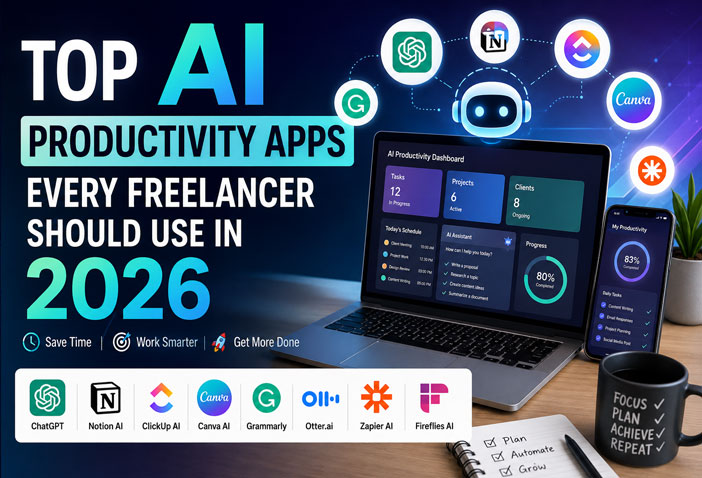
In this guide, we’ll explore the best AI productivity apps every freelancer should use in 2026. These tools can help you save time, reduce stress, and focus on the work that truly matters.
Why Freelancers Need AI Productivity Apps
Freelancers often wear multiple hats. On any given day, you might be:
- Replying to client emails
- Creating proposals
- Managing invoices
- Scheduling meetings
- Researching information
- Writing content
- Designing graphics
- Editing videos
- Tracking projects
- Managing social media
Doing everything manually wastes valuable hours.
AI productivity apps help by:
- Automating repetitive work
- Improving writing quality
- Organizing daily tasks
- Generating creative ideas
- Managing projects efficiently
- Saving 5–15 hours every week
- Increasing overall productivity
The result? You can take on more clients while maintaining a healthy work-life balance.
1. ChatGPT – Your AI Work Assistant
ChatGPT remains one of the most powerful AI tools for freelancers in 2026.
Whether you need help writing emails, generating blog posts, brainstorming ideas, fixing code, or creating marketing content, ChatGPT can dramatically reduce your workload.
Best Features
- Content writing
- Proposal generation
- Client email drafting
- Coding assistance
- Research summaries
- Brainstorming ideas
- Translation
- Social media captions
Best For
- Writers
- Developers
- Digital marketers
- Designers
- Consultants
- Virtual assistants
Why freelancers love it: Instead of spending hours writing from scratch, ChatGPT can generate a polished first draft in minutes.
2. Notion AI – Organize Everything in One Place
Managing multiple clients can become chaotic without a proper workspace.
Notion AI combines note-taking, project management, document creation, and AI-powered writing into a single platform.
What It Can Do
- Summarize long notes
- Create meeting minutes
- Generate project plans
- Write SOPs
- Build knowledge bases
- Create task lists automatically
Perfect For
Freelancers managing multiple projects simultaneously.
3. Grammarly AI – Write Like a Professional
Professional communication matters.
Whether you’re sending proposals, writing blogs, or replying to clients, Grammarly AI helps eliminate grammar mistakes while improving tone and clarity.
Features
- Grammar correction
- Tone suggestions
- AI rewriting
- Professional email assistance
- Plagiarism detection
- Style improvements
A polished message creates a better impression and increases client trust.
4. Motion AI – Smart Calendar & Task Manager
One of the biggest challenges freelancers face is managing time.
Motion AI automatically plans your day by organizing meetings, tasks, deadlines, and priorities.
Instead of manually scheduling your workload, Motion adjusts your calendar whenever priorities change.
Key Features
- AI scheduling
- Automatic task planning
- Deadline management
- Calendar optimization
- Smart reminders
Perfect for freelancers juggling multiple clients.
5. Perplexity AI – Research Faster
Searching Google often means opening dozens of tabs before finding the right answer.
Perplexity AI simplifies research by providing direct answers along with source references.
Great For
- Market research
- Client research
- Fact checking
- Learning new skills
- Competitor analysis
Freelancers can complete research in minutes instead of hours.
Benefits of Using AI Productivity Apps
Using AI isn’t about replacing your skills—it’s about enhancing them. By letting AI handle repetitive and time-consuming tasks, freelancers can focus on creativity, strategy, and delivering exceptional results.
Some key benefits include:
- Save 5–15 hours every week
- Deliver projects faster
- Improve communication with clients
- Reduce manual work
- Stay organized
- Increase earning potential
- Handle more projects without burnout
Conclusion
AI productivity apps have become essential tools for modern freelancers. From writing and research to scheduling and project management, these apps help streamline your workflow and free up valuable time for high-impact work.
Top AI Productivity Apps Every Freelancer Should Use in 2026
In Part 1, we explored some of the most powerful AI productivity tools, including ChatGPT, Notion AI, Grammarly AI, Motion AI, and Perplexity AI. These tools can help freelancers save hours every week and work more efficiently.
Now, let’s look at more AI apps that can further improve your workflow, automate repetitive tasks, and help you grow your freelance business in 2026.
6. ClickUp AI – Smart Project Management
Managing multiple clients and deadlines can quickly become stressful. ClickUp AI combines project management with artificial intelligence to make work easier.
It can automatically summarize tasks, generate project updates, create to-do lists, and even help write documentation.
Key Features
- AI-generated task summaries
- Project planning
- Team collaboration
- Time tracking
- Goal management
- Document creation
Best For
- Web developers
- Marketing agencies
- Virtual assistants
- Freelance teams
- Project managers
Why freelancers love it: Everything from project planning to client communication can be managed from one dashboard.
7. Canva AI – Design in Minutes
Not every freelancer is a professional designer, but almost everyone needs graphics.
Canva AI makes designing social media posts, presentations, YouTube thumbnails, advertisements, and marketing materials incredibly easy.
AI Features
- Magic Design
- AI Image Generator
- Background Remover
- Magic Write
- AI Presentation Builder
- Instant Resize
Best For
- Social media managers
- Bloggers
- YouTubers
- Freelance marketers
- Small business owners
Canva AI saves hours that would otherwise be spent learning complex design software.
8. Otter.ai – Never Miss Meeting Notes
Freelancers often attend client meetings filled with important details.
Instead of taking manual notes, Otter.ai records conversations and creates accurate transcripts in real time.
Features
- Live meeting transcription
- AI summaries
- Speaker identification
- Searchable notes
- Meeting highlights
Perfect For
- Consultants
- Coaches
- Developers
- Agencies
- Remote freelancers
After every meeting, you’ll have organized notes ready to review.
9. Zapier AI – Automate Your Workflow
Imagine automatically saving email attachments, sending Slack notifications, updating spreadsheets, creating tasks, and organizing client data—without lifting a finger.
That’s exactly what Zapier AI helps you do.
Popular Automations
- Gmail → Google Sheets
- Forms → CRM
- Stripe → Invoice
- Email → Task Manager
- New Client → Welcome Email
Benefits
- Saves hours every week
- Reduces manual work
- Fewer mistakes
- Faster workflows
If you perform the same tasks repeatedly, Zapier AI can probably automate them.
10. Fireflies AI – Your Meeting Assistant
Fireflies AI automatically records online meetings, creates transcripts, summarizes discussions, and extracts action items.
Instead of replaying an hour-long meeting, you can simply read the AI-generated summary.
Features
- Meeting recording
- Automatic summaries
- Search conversations
- Team collaboration
- CRM integration
Perfect for freelancers working with international clients.
How to Build an AI Workflow as a Freelancer
The best results come from combining multiple AI tools into one streamlined workflow.
Here’s an example:
| Task | Recommended AI Tool |
|---|---|
| Brainstorm ideas | ChatGPT |
| Research topics | Perplexity AI |
| Plan projects | Notion AI |
| Manage tasks | ClickUp AI |
| Schedule work | Motion AI |
| Create graphics | Canva AI |
| Improve writing | Grammarly AI |
| Record meetings | Otter.ai / Fireflies AI |
| Automate repetitive work | Zapier AI |
Using the right combination of tools allows you to complete projects faster while maintaining high quality.
Tips to Get the Most from AI Productivity Apps
To maximize your productivity:
- Start with 3–5 essential AI tools instead of using too many at once.
- Automate repetitive tasks first.
- Review AI-generated content before sending it to clients.
- Keep sensitive client information secure.
- Learn keyboard shortcuts and integrations to save even more time.
- Regularly explore new AI features, as these tools are constantly improving.
Are Free Versions Enough?
Many AI productivity apps offer generous free plans that are suitable for beginners.
If you’re just starting your freelance journey, free versions are usually enough. As your client base grows and your workload increases, upgrading to paid plans can unlock advanced features and further improve efficiency.
Final Thoughts
Artificial Intelligence is no longer just a trend—it’s an essential part of modern freelancing. The right AI tools can help you save time, improve communication, stay organized, and deliver better results to your clients.
Whether you’re a writer, designer, developer, marketer, consultant, or virtual assistant, these productivity apps can help you work smarter instead of harder.
The future belongs to freelancers who know how to combine their creativity with the power of AI. Start with a few tools, build a workflow that fits your needs, and you’ll be better equipped to grow your freelance business in 2026 and beyond.
FAQs
1. Which AI productivity app is best for freelancers in 2026?
ChatGPT is one of the most versatile AI tools, while ClickUp AI, Notion AI, Canva AI, and Grammarly AI are excellent choices depending on your workflow.
2. Can AI replace freelancers?
No. AI is designed to assist freelancers by automating repetitive tasks, but human creativity, strategy, and problem-solving remain essential.
3. Are these AI tools free?
Most offer free plans with optional premium upgrades for advanced features.
4. How much time can AI save?
Many freelancers report saving between 5 and 15 hours per week by using AI tools for writing, research, scheduling, and automation.
5. Should beginners use AI tools?
Absolutely. Beginners can use AI to learn faster, stay organized, and improve the quality of their work from day one.