

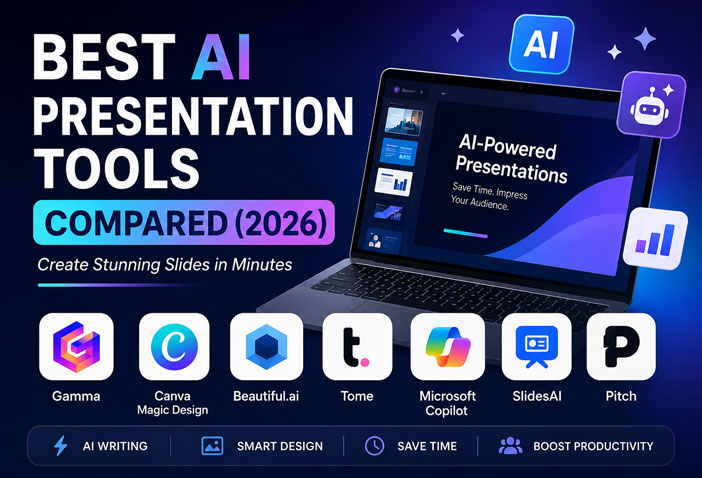
Best AI Presentation Tools Compared (2026): Create Stunning Slides in Minutes
Creating professional presentations no longer requires hours of designing slides or searching for templates. In 2026, AI presentation tools can generate complete presentations from a simple prompt, suggest layouts, create visuals, and even write your slide content automatically.
Whether you’re a student, teacher, business owner, marketer, or freelancer, these AI tools can save hours of work while making your presentations look professional.
In this guide, we’ll compare the best AI presentation tools of 2026 based on features, ease of use, pricing, and who they’re best for.
Why Use AI Presentation Tools?
AI presentation makers help you:
- Create presentations in minutes
- Generate slide content automatically
- Design beautiful layouts instantly
- Add AI-generated images and icons
- Save time on formatting and design
- Improve storytelling with smart suggestions
Instead of spending hours in PowerPoint, AI can build a polished presentation in just a few clicks.
1. Gamma AI ⭐ (Best Overall)
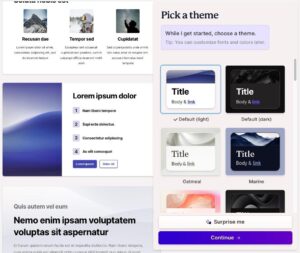
Gamma has become one of the most popular AI presentation tools because it creates modern, interactive presentations directly from a prompt.
Best Features
- AI-generated presentations
- Beautiful modern templates
- Interactive cards
- AI image generation
- Easy sharing with links
- Export to PDF and PowerPoint
Pros
✅ Very easy to use
✅ Professional designs
✅ Fast content generation
Cons
❌ Limited customization in the free version
Best For: Professionals, startups, educators, freelancers
2. Canva Magic Design

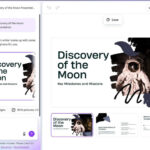


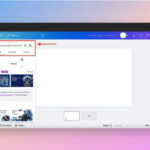
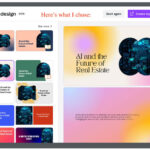
If you already use Canva, Magic Design makes presentation creation incredibly simple.
Features
- AI presentation generation
- Thousands of templates
- Drag-and-drop editing
- AI images
- Brand kit support
- Team collaboration
Pros
✅ Beginner-friendly
✅ Huge template library
✅ Great for social media and presentations
Cons
❌ Some AI features require Canva Pro
Best For: Students, marketers, content creators
3. Beautiful.ai





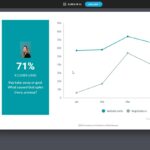
Beautiful.ai focuses on smart slide design. It automatically adjusts layouts as you add content.
Features
- Smart templates
- Automatic formatting
- Team collaboration
- Business presentation templates
- Charts and analytics
Pros
✅ Excellent business presentations
✅ Consistent design
Cons
❌ Fewer creative templates
Best For: Companies, startups, sales teams
4. Tome AI
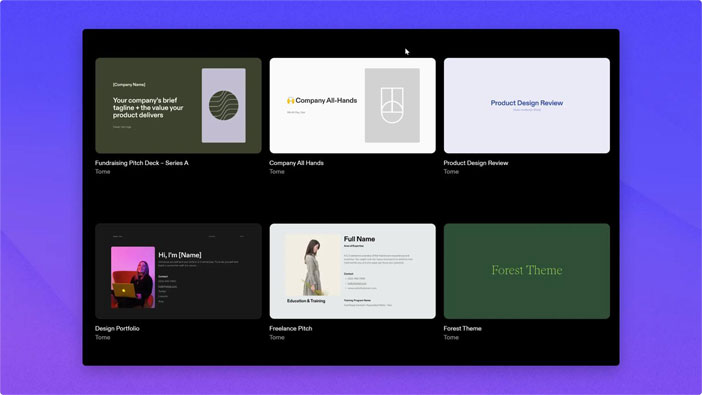
Tome uses AI to create presentations that feel more like interactive stories.
Features
- AI writing
- AI images
- Storytelling layouts
- Interactive pages
- Live sharing
Pros
✅ Creative presentations
✅ Excellent storytelling
Cons
❌ Less suitable for traditional corporate slides
Best For: Creators, agencies, startups
5. Microsoft Copilot for PowerPoint
If you’re already using Microsoft 365, Copilot is one of the most powerful AI assistants available.
Features
- Converts Word documents into presentations
- AI-generated speaker notes
- Automatic slide creation
- Professional formatting
- Microsoft ecosystem integration
Pros
✅ Familiar PowerPoint interface
✅ Powerful AI features
Cons
❌ Requires Microsoft 365 subscription
Best For: Office users and businesses
6. SlidesAI
SlidesAI is designed specifically for Google Slides users.
Features
- Convert text into presentations
- Google Slides integration
- Multiple themes
- AI formatting
Pros
✅ Very simple
✅ Fast
Cons
❌ Limited advanced design options
Best For: Students and teachers
7. Pitch AI
Pitch combines presentation creation with real-time collaboration.
Features
- AI slide generation
- Team collaboration
- Analytics
- Professional templates
Pros
✅ Excellent collaboration
✅ Startup-friendly
Cons
❌ Premium features require a paid plan
Quick Comparison Table
| Tool | Best For | Free Plan | AI Content | Templates |
|---|---|---|---|---|
| Gamma | Overall | ✅ | ⭐⭐⭐⭐⭐ | ⭐⭐⭐⭐⭐ |
| Canva | Beginners | ✅ | ⭐⭐⭐⭐ | ⭐⭐⭐⭐⭐ |
| Beautiful.ai | Business | Trial | ⭐⭐⭐⭐ | ⭐⭐⭐⭐ |
| Tome | Storytelling | ✅ | ⭐⭐⭐⭐⭐ | ⭐⭐⭐⭐ |
| Copilot | Microsoft Users | ❌ | ⭐⭐⭐⭐⭐ | ⭐⭐⭐⭐⭐ |
| SlidesAI | Google Slides | ✅ | ⭐⭐⭐⭐ | ⭐⭐⭐ |
| Pitch | Teams | ✅ | ⭐⭐⭐⭐ | ⭐⭐⭐⭐ |
Which AI Presentation Tool Should You Choose?
Choose based on your needs:
- Best Overall: Gamma AI
- Best Free Tool: Canva Magic Design
- Best for Business: Beautiful.ai
- Best for Storytelling: Tome AI
- Best for Microsoft Users: Copilot
- Best for Students: SlidesAI
- Best for Team Collaboration: Pitch
Tips for Creating Better AI Presentations
- Write a clear prompt with your presentation topic.
- Review AI-generated content for accuracy.
- Use high-quality visuals and icons.
- Keep slides concise and avoid too much text.
- Add your own branding and examples to make the presentation unique.
Final Verdict
AI presentation tools have transformed the way we create slides in 2026. Whether you need a classroom project, a business pitch, or a client proposal, these tools can help you produce professional presentations in a fraction of the time.
If you’re looking for the best all-round experience, Gamma AI stands out with its speed, modern design, and ease of use. For users already in the Microsoft ecosystem, Copilot for PowerPoint is an excellent choice. Meanwhile, Canva Magic Design remains the best option for beginners thanks to its intuitive interface and extensive template library.
Start with a free plan, explore the features, and choose the tool that best matches your workflow.
FAQs
Q1. What is the best free AI presentation tool in 2026?
Gamma AI and Canva Magic Design offer excellent free plans for creating professional presentations.
Q2. Can AI create a PowerPoint presentation automatically?
Yes. Tools like Gamma, Microsoft Copilot, Canva Magic Design, and Tome can generate complete presentations from a simple text prompt.
Q3. Which AI presentation tool is best for students?
Canva Magic Design and SlidesAI are great choices because they are easy to use and provide free features.
Q4. Can I export AI presentations to PowerPoint?
Most leading AI presentation tools allow exporting presentations to PowerPoint (PPTX) or PDF formats.
Suggested Internal Links:
- Best AI Tools for Students in India (2026)
- Google AI Studio vs ChatGPT: Which Is Better in 2026?
- Best Free Productivity Apps for Professionals in 2026