


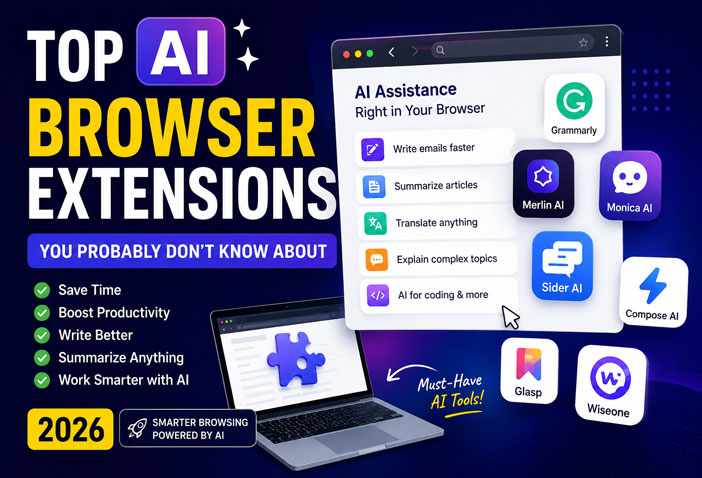
Top AI Browser Extensions You Probably Don’t Know About (2026)
Artificial Intelligence is changing the way we browse the internet. Instead of switching between multiple websites to write emails, summarize articles, translate content, or generate ideas, AI browser extensions can do everything directly inside your browser.
Whether you’re a student, content creator, freelancer, developer, or office professional, these hidden AI browser extensions can save hours every week.
In this article, we’ll explore the best AI browser extensions you probably don’t know about—but should definitely start using in 2026.
Why Use AI Browser Extensions?
AI browser extensions help you:
- Save time on repetitive tasks
- Summarize long articles instantly
- Write professional emails
- Improve grammar and spelling
- Translate webpages in seconds
- Generate AI-powered content
- Explain complex topics
- Increase daily productivity
The best part? Most of these tools offer free plans.
1. Merlin AI ⭐ (Best Overall)





Merlin AI works on almost every website. It gives you ChatGPT-like assistance without opening a separate tab.
Features
- AI writing
- Summarize websites
- Reply to emails
- YouTube summaries
- LinkedIn post generation
- Google Search AI answers
Pros
✅ Works everywhere
✅ Fast responses
✅ Easy to use
Cons
❌ Daily free usage limit
Best For: Students, bloggers, professionals
2. Sider AI

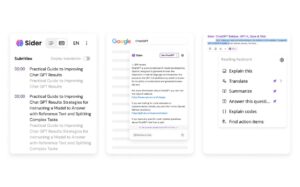

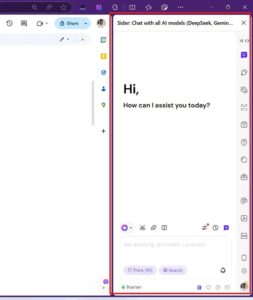

Sider places an AI assistant in your browser sidebar, allowing you to chat with multiple AI models while browsing.
Features
- Supports ChatGPT, Claude, Gemini and more
- Translate webpages
- Summarize PDFs
- AI writing
- Webpage explanation
Pros
✅ Multiple AI models
✅ Excellent sidebar interface
Cons
❌ Some premium features are paid
Best For: Researchers and professionals
3. Monica AI





Monica AI acts as your personal AI assistant while browsing.
Features
- Email writing
- AI chat
- Grammar correction
- Summarization
- Translation
- Coding assistance
Pros
✅ Clean interface
✅ Supports many websites
Cons
❌ Limited free credits
4. Grammarly AI
Grammarly is no longer just a grammar checker. Its AI assistant helps you rewrite, expand, shorten, and improve your writing across Gmail, LinkedIn, Google Docs, and many other websites.
Features
- Grammar correction
- AI rewriting
- Tone adjustment
- Email generation
- Writing suggestions
Pros
✅ Excellent writing quality
✅ Works almost everywhere
Cons
❌ Advanced AI tools require Premium
Best For: Professionals and students
5. Compose AI
Compose AI helps you write faster by predicting sentences and generating complete emails with AI.
Features
- Auto-complete
- AI email writing
- Custom prompts
- Smart suggestions
Pros
✅ Saves typing time
✅ Great for Gmail
Cons
❌ Premium unlocks full features
6. Glasp
Glasp is perfect for people who read lots of online articles.
Features
- Highlight webpages
- Save notes
- AI summaries
- Organize research
- Share highlights
Pros
✅ Excellent for learning
✅ Simple interface
Cons
❌ Limited collaboration tools
7. Wiseone AI
Wiseone makes reading technical articles much easier.
Features
- Explain difficult concepts
- AI summaries
- Contextual explanations
- Fact exploration
Pros
✅ Ideal for research
✅ Beginner-friendly explanations
Cons
❌ Best suited for educational content
Quick Comparison Table
| Extension | Best For | Free Plan | AI Writing | Summarization |
|---|---|---|---|---|
| Merlin AI | Overall | ✅ | ⭐⭐⭐⭐⭐ | ⭐⭐⭐⭐⭐ |
| Sider | Researchers | ✅ | ⭐⭐⭐⭐⭐ | ⭐⭐⭐⭐⭐ |
| Monica AI | Productivity | ✅ | ⭐⭐⭐⭐ | ⭐⭐⭐⭐ |
| Grammarly | Writing | ✅ | ⭐⭐⭐⭐⭐ | ⭐⭐⭐ |
| Compose AI | Emails | ✅ | ⭐⭐⭐⭐ | ⭐⭐ |
| Glasp | Learning | ✅ | ⭐⭐ | ⭐⭐⭐⭐ |
| Wiseone | Research | ✅ | ⭐⭐⭐ | ⭐⭐⭐⭐⭐ |
Which AI Browser Extension Should You Choose?
If you’re unsure where to start, here’s a quick recommendation:
- Best Overall: Merlin AI
- Best for Research: Sider AI
- Best for Writing: Grammarly AI
- Best for Emails: Compose AI
- Best for Students: Glasp
- Best for Learning: Wiseone AI
- Best Productivity Tool: Monica AI
Tips to Get the Most Out of AI Extensions
- Install only the extensions you actually use to keep your browser fast.
- Review AI-generated content before publishing or sending.
- Keep your extensions updated for the latest features and security fixes.
- Avoid giving AI tools access to sensitive personal or financial information.
- Combine a writing assistant with a summarization tool for maximum productivity.
Final Verdict
AI browser extensions have become essential productivity tools in 2026. They eliminate repetitive tasks, improve writing quality, summarize long content, and help you work smarter without constantly switching tabs.
If you want one extension that does almost everything, Merlin AI is the best all-around choice. For users who need access to multiple AI models, Sider AI is an excellent option. Writers and professionals will benefit most from Grammarly AI, while Glasp is ideal for students and researchers who consume a lot of online content.
Try a few free extensions and build a browser toolkit that matches your daily workflow.
Frequently Asked Questions
Q1. Which is the best free AI browser extension?
Merlin AI, Sider AI, and Grammarly offer generous free plans for most users.
Q2. Are AI browser extensions safe to use?
Most popular extensions are safe when downloaded from the official Chrome Web Store. Always review the permissions they request.
Q3. Can AI browser extensions summarize YouTube videos?
Yes. Tools like Merlin AI and Sider AI can summarize YouTube videos and lengthy webpages.
Q4. Do AI browser extensions work with Google Chrome?
Yes. Most leading AI browser extensions support Google Chrome, Microsoft Edge, Brave, and other Chromium-based browsers.
Suggested Internal Links: