

Introduction
Remote work has become the new normal, but managing online meetings can still consume a significant part of the workday. Taking notes, remembering action items, and sharing meeting summaries manually often reduces productivity.
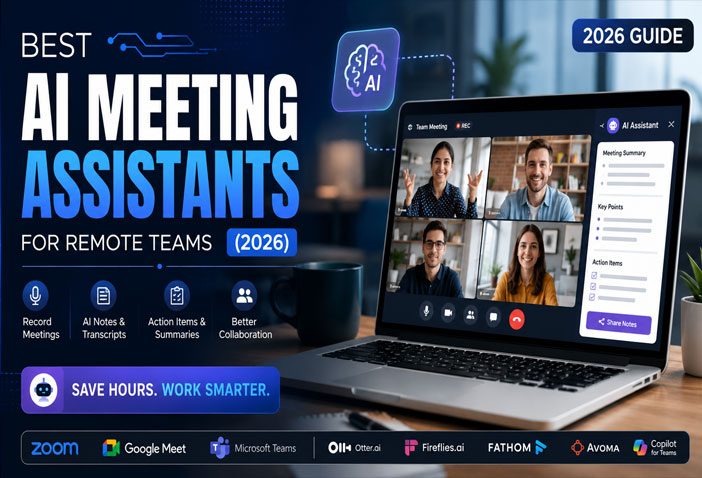
This is where AI meeting assistants come in. These smart tools automatically record conversations, generate transcripts, summarize discussions, and even identify action items—allowing your team to focus on the conversation instead of documentation.
In this guide, we’ll explore the best AI meeting assistants for remote teams in 2026, compare their features, pricing, and help you choose the right one for your business.
What Is an AI Meeting Assistant?
An AI meeting assistant is software that uses artificial intelligence to:
- Record meetings automatically
- Convert speech into text
- Generate meeting summaries
- Identify key discussion points
- Create action items
- Share notes with team members
- Integrate with productivity apps
Whether you use Zoom, Google Meet, or Microsoft Teams, AI assistants help save time while improving collaboration.
Why Remote Teams Need AI Meeting Assistants
Remote teams often face challenges such as:
- Missing important discussions
- Manual note-taking
- Forgotten action items
- Time-consuming follow-up emails
- Difficulty tracking decisions
AI meeting assistants solve these issues by automating documentation and making meetings more productive.
Benefits include:
- Save 5–10 hours every week
- Improve team collaboration
- Better meeting records
- Easy knowledge sharing
- Faster project execution
Best AI Meeting Assistants for Remote Teams (2026)
1. Otter.ai
Best for: Automatic meeting transcription
Features
- Live transcription
- AI meeting summaries
- Speaker identification
- Action item detection
- Zoom, Meet & Teams integration
Pros
- Excellent transcription accuracy
- Easy to use
- Fast summaries
Cons
- Free plan has monthly limits
2. Fireflies.ai
Best for: Sales teams and client meetings
Features
- Automatic recording
- AI meeting notes
- CRM integrations
- Searchable meeting library
- Collaboration tools
Pros
- Great integrations
- Excellent search feature
- Saves hours of manual work
Cons
- Advanced features require paid plans
3. Fathom AI
Best for: Free AI meeting summaries
Features
- Instant summaries
- Highlight important moments
- Share meeting clips
- CRM integration
Pros
- Generous free version
- Very fast summaries
- User-friendly interface
Cons
- Limited integrations compared to competitors
4. Avoma
Best for: Customer success and sales teams
Features
- AI meeting intelligence
- Conversation analytics
- Meeting scheduler
- Coaching insights
- CRM sync
Pros
- Excellent analytics
- Ideal for business teams
Cons
- Premium pricing
5. Microsoft Copilot for Teams
Best for: Microsoft 365 users
Features
- AI-generated meeting recap
- Automatic notes
- Suggested action items
- Integration with Outlook and Teams
- Productivity insights
Pros
- Perfect for Microsoft ecosystem
- High-quality summaries
Cons
- Requires Microsoft subscription
6. Google Gemini for Google Meet
Best for: Google Workspace users
Features
- AI meeting summaries
- Note generation
- Smart follow-ups
- Integration with Google Docs & Gmail
Pros
- Great Workspace integration
- Easy collaboration
Cons
- Available only on supported Workspace plans
Comparison Table
| Tool | Best For | Free Plan | AI Summary | Integrations |
|---|---|---|---|---|
| Otter.ai | General Teams | ✅ | ✅ | Excellent |
| Fireflies.ai | Sales | ✅ | ✅ | Excellent |
| Fathom AI | Individuals | ✅ | ✅ | Good |
| Avoma | Enterprises | Trial | ✅ | Excellent |
| Microsoft Copilot | Microsoft Users | No | ✅ | Excellent |
| Google Gemini | Google Workspace | Limited | ✅ | Excellent |
How to Choose the Right AI Meeting Assistant
Before selecting a tool, consider:
- Meeting platform compatibility
- Transcription accuracy
- Language support
- Security and privacy
- Integration with Slack, Notion, Jira, or CRM
- Team size
- Pricing
The right choice depends on your workflow and collaboration needs.
Are AI Meeting Assistants Worth It?
Yes. If your team spends several hours every week in online meetings, AI assistants can significantly reduce manual work.
They help by:
- Eliminating note-taking
- Improving accountability
- Keeping everyone informed
- Reducing follow-up effort
- Making meetings more productive
For remote businesses, these tools often provide a strong return on investment through saved time.
Final Thoughts
AI meeting assistants have become essential productivity tools for remote teams in 2026. Whether you’re a freelancer, startup, or enterprise, the right assistant can save valuable time, improve collaboration, and ensure important decisions are never missed.
If you’re looking for an easy starting point, Otter.ai and Fireflies.ai are excellent all-round options. If your organization already uses Microsoft 365 or Google Workspace, their built-in AI assistants offer a seamless experience.
As AI continues to evolve, meeting assistants will become even more capable—helping teams spend less time documenting conversations and more time getting work done.
FAQs
Which is the best AI meeting assistant in 2026?
Otter.ai and Fireflies.ai are among the most popular choices due to their accurate transcription, AI summaries, and wide range of integrations.
Are AI meeting assistants free?
Many tools offer free plans with limited meeting minutes and features, while advanced capabilities are available through paid subscriptions.
Can AI meeting assistants join Zoom and Google Meet?
Yes. Most leading AI meeting assistants support Zoom, Google Meet, and Microsoft Teams.
Do AI meeting assistants record meetings automatically?
Many tools can automatically join scheduled meetings, record them (with appropriate permissions), and generate transcripts and summaries.
Which AI meeting assistant is best for small businesses?
Fathom AI and Otter.ai are strong options for small businesses because they provide useful features with affordable or free plans.