


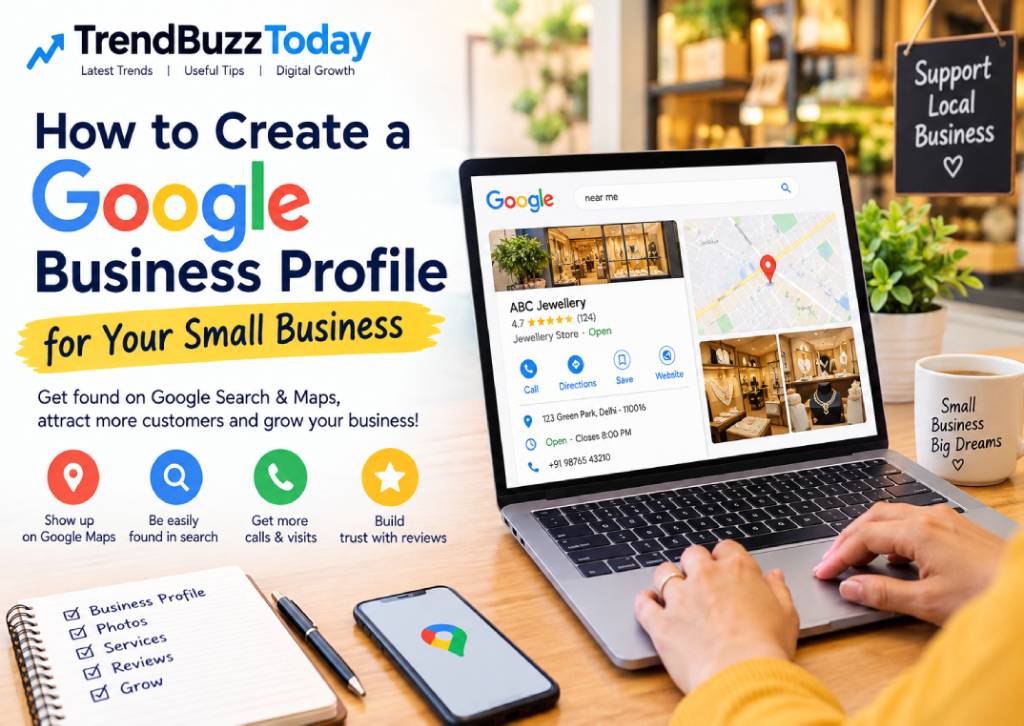
If you run a small business, getting found online can make a big difference in attracting new customers. One of the easiest and most useful free tools for local businesses is a Google Business Profile (GBP).
A Google Business Profile helps your business appear on Google Search and Google Maps when people search for products or services you offer in your area.
Whether you own a jewellery shop, salon, restaurant, clothing store, repair service, consultancy, or another local business, setting up a Google Business Profile can help customers discover your business, view your information, read reviews, and contact you.
In this guide, we will explain how to create a Google Business Profile for your small business step by step.
What Is a Google Business Profile?
Google Business Profile is a free Google tool that allows businesses to manage how their business information appears on Google Search and Google Maps.
Your profile can include information such as:
- Business name
- Business category
- Address or service area
- Phone number
- Website
- Business hours
- Photos and videos
- Products or services
- Customer reviews
- Business description
A complete and accurate profile makes it easier for potential customers to understand your business and contact you.
Why Should a Small Business Create a Google Business Profile?
For a small business, online visibility does not always require a large advertising budget. A properly maintained Google Business Profile can help you build a local online presence.
1. Appear on Google Maps
Customers often use Google Maps to find nearby shops and services. A verified profile can help your business appear when people search for relevant local businesses.
2. Help Customers Find Important Information
Customers can quickly see your phone number, location, opening hours, website, and other business details.
3. Build Customer Trust
Reviews and photos can give potential customers more information about your business before they decide to contact or visit you.
4. Get Direct Customer Actions
Depending on your business and profile setup, customers may be able to call you, visit your website, request directions, or take other actions directly from your listing.
5. Improve Your Local Online Presence
A well-maintained profile gives Google useful information about your business and can support your local search visibility.
What Do You Need Before Creating Your Profile?
Before starting, keep the following information ready:
- Your official business name
- Correct business category
- Business address or service area
- Business phone number
- Website, if available
- Business hours
- Good-quality business photos
- List of products or services
- Business description
You should use accurate and genuine business information rather than adding keywords or information simply to manipulate search results.
How to Create a Google Business Profile Step by Step
Step 1: Sign in With a Google Account
Start by signing in to a Google Account that you want to use to manage your business profile.
It is better to use an account that your business can continue to access even if employees or responsibilities change.
Step 2: Find Google Business Profile
Go to Google’s Business Profile service and start the process of adding or claiming your business.
Before creating a new listing, search for your business name. Your business may already have a profile created by Google or another source.
If an existing profile belongs to your business, you may need to claim and verify it instead of creating a duplicate listing.
Step 3: Enter Your Business Name
Enter your business’s real-world business name.
For example:
ABC Jewellery
Avoid adding unnecessary keywords such as:
ABC Jewellery – Best Gold Jewellery Shop in Delhi
Your business name should represent the name customers actually know and use for your business.
Step 4: Select the Right Business Category
Choose the category that most accurately describes your main business.
For example:
- Jewellery store
- Clothing store
- Restaurant
- Beauty salon
- Digital marketing agency
- Electronics store
- Furniture store
Choosing a relevant category helps Google understand what your business does.
Step 5: Add Your Location or Service Area
If customers visit your physical location, add the correct business address.
If you provide services at customers’ locations and do not operate a customer-facing storefront, you may be able to set up your profile as a service-area business.
Make sure your address or service area accurately represents where you operate.
Step 6: Add Your Contact Details
Add your business phone number and website.
Your contact information should be accurate and regularly updated.
If you have a website, adding it to your profile gives customers another way to learn about your business.
Step 7: Verify Your Business
Google may ask you to verify your business before your profile can fully appear or be managed.
The verification method available can vary depending on the business and Google’s verification process.
Follow the verification instructions shown in your Google Business Profile account.
Important: Never share verification codes with anyone who contacts you unexpectedly.
Step 8: Complete Your Business Profile
After verification, complete as much relevant information as possible.
Add:
- Business hours
- Business description
- Services
- Products
- Photos
- Website
- Contact information
Avoid leaving important sections incomplete when the information is applicable to your business.
How to Write a Good Business Description
Your business description should clearly explain what you offer and where you serve customers.
For example:
“ABC Jewellery is a jewellery store offering traditional and contemporary jewellery designs, including gold and diamond jewellery. We serve customers looking for jewellery for weddings, festivals and special occasions.”
Keep the description natural and useful. Do not fill it with repeated keywords.
Add High-Quality Photos
Photos can help customers understand your business before they visit or contact you.
Depending on your business, consider adding:
- Business exterior
- Interior
- Logo
- Products
- Team
- Services
- Work samples
For example, a jewellery store can add clear photos of jewellery collections, store interiors, displays, and branding.
Use real photos of your business whenever possible.
Ask Customers for Genuine Reviews
Customer reviews are an important part of many local business profiles.
After completing a genuine transaction, you can ask customers to leave an honest review.
However, businesses should avoid creating fake reviews or offering inappropriate incentives in exchange for positive reviews.
How to Respond to Reviews
Try to respond professionally to both positive and negative reviews.
For a positive review, a simple thank-you can work well.
For a negative review, acknowledge the customer’s concern and, where appropriate, explain how you can help resolve the issue.
Keep Your Profile Updated
Creating your profile is only the beginning.
You should periodically check your listing and update:
- Opening hours
- Holiday hours
- Phone number
- Website
- Services
- Products
- Photos
- Business description
If your business information changes, update your profile as soon as possible.
Common Google Business Profile Mistakes to Avoid
1. Creating Duplicate Profiles
Do not create multiple profiles for the same business location simply to get more visibility.
2. Using an Incorrect Business Name
Use your real business name instead of adding unnecessary keywords.
3. Adding Incorrect Information
Incorrect phone numbers, addresses or opening hours can frustrate customers.
4. Ignoring Reviews
Leaving customer reviews unanswered for long periods can make your profile look inactive.
5. Using Poor-Quality Photos
Blurry or irrelevant images may not represent your business professionally.
6. Forgetting to Update Holiday Hours
If your business has different timings during holidays, keep your hours updated so customers know when you are open.
Google Business Profile and Local SEO
Google Business Profile can be an important part of a local SEO strategy.
However, simply creating a profile does not guarantee that your business will appear at the top of local search results.
Local visibility can depend on several factors, including the relevance of your business to a search, information about your business’s location and prominence, reviews, website signals, and other factors.
A good approach is to keep your business information accurate, provide useful content, collect genuine customer reviews, and maintain your online presence consistently.
Can a Business Create a Google Business Profile for Free?
Yes. Google Business Profile is a free service.
However, you may choose to spend money separately on advertising, website development, photography, social media marketing, or other promotional activities.
You do not need to pay someone simply to create a basic Google Business Profile.
Frequently Asked Questions
Is Google Business Profile free?
Yes, creating and managing a Google Business Profile is free.
Can I create a profile without a website?
Yes. A website is not required to create a basic Google Business Profile.
Can a home-based business have a Google Business Profile?
Eligibility depends on how the business operates and whether it meets Google’s requirements. Businesses that serve customers at their locations may have different profile options from businesses with a customer-facing storefront.
How long does Google Business Profile verification take?
The time and verification method can vary. Google determines which verification options are available for a particular business.
Can I add photos to my profile?
Yes. Businesses can add relevant photos to help customers understand their products, services and location.
Can I change my business information later?
Yes. You can update eligible business information after creating your profile.
Final Thoughts
A Google Business Profile is one of the simplest ways for a small business to build a local presence online. It can help potential customers discover your business on Google Search and Maps and find important information such as your location, hours, phone number, website, products and services.
The key is not just creating the profile but keeping it accurate, complete and active.
If you run a small business in India, setting up and regularly maintaining your Google Business Profile can be a useful starting point for building your local digital presence.